Multi-Branch Management
Run every campus in one installation while keeping classes, admissions, finance, transport and staff correctly separated. Transfer students between branches without losing their history.
Built for International Private Schools
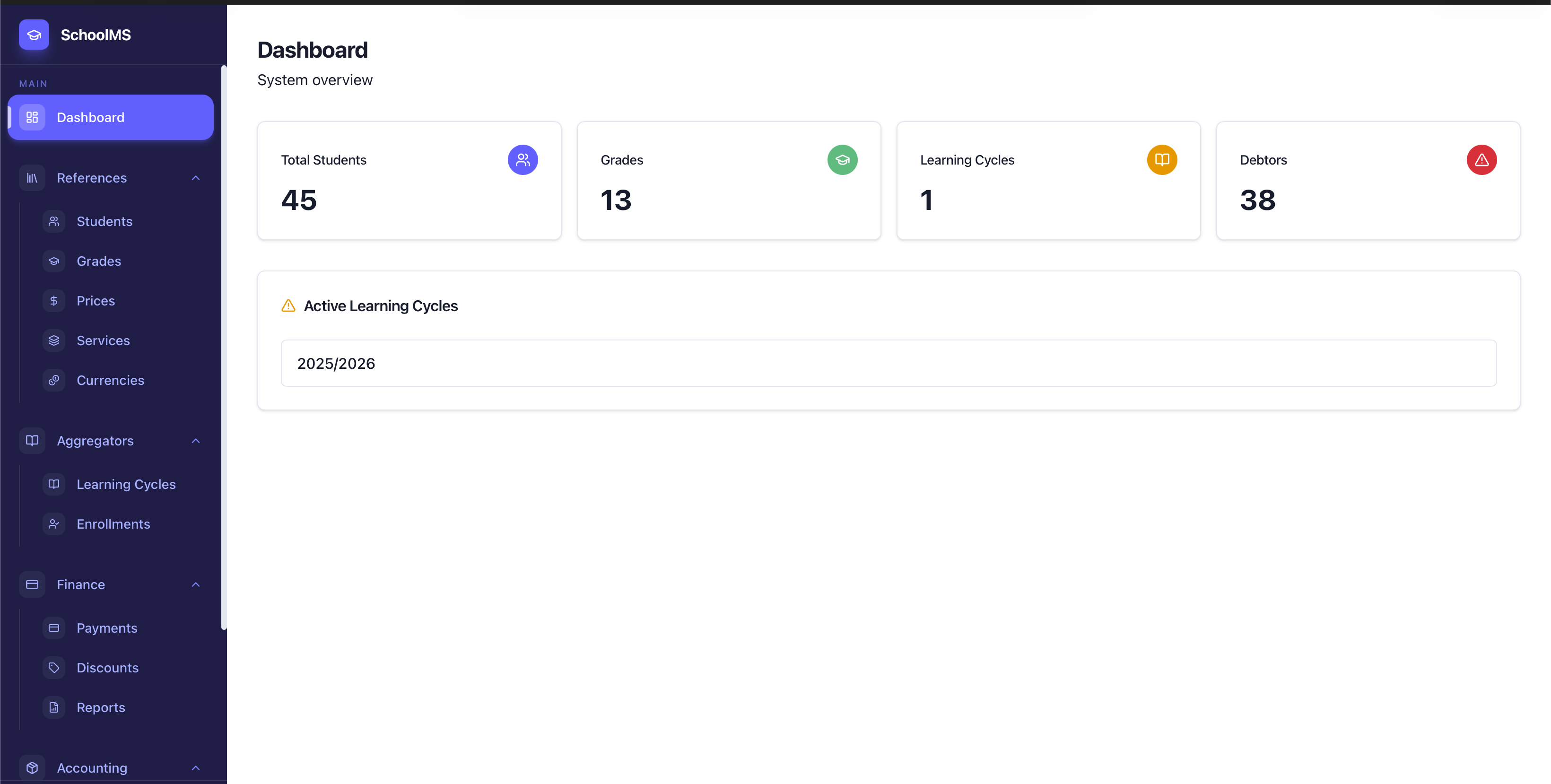
SchoolMS is an all-in-one management platform — streamlining students, finance, inventory, and academic records from a single dashboard.
From the first enrollment to graduation, SchoolMS covers every administrative process in one connected system.
Run every campus in one installation while keeping classes, admissions, finance, transport and staff correctly separated. Transfer students between branches without losing their history.
Complete student profiles with enrollment history, grade transfers, family contacts, photo storage and document attachments — contracts, certificates, anything tied to a student in one place.
Track every application from first inquiry through review to enrollment. Accepted applicants convert straight into full student records and class placement — no re-entering data.
A dedicated self-service portal: parents register, link their children, and see attendance, grades, homework, payments, announcements and the school calendar in real time.
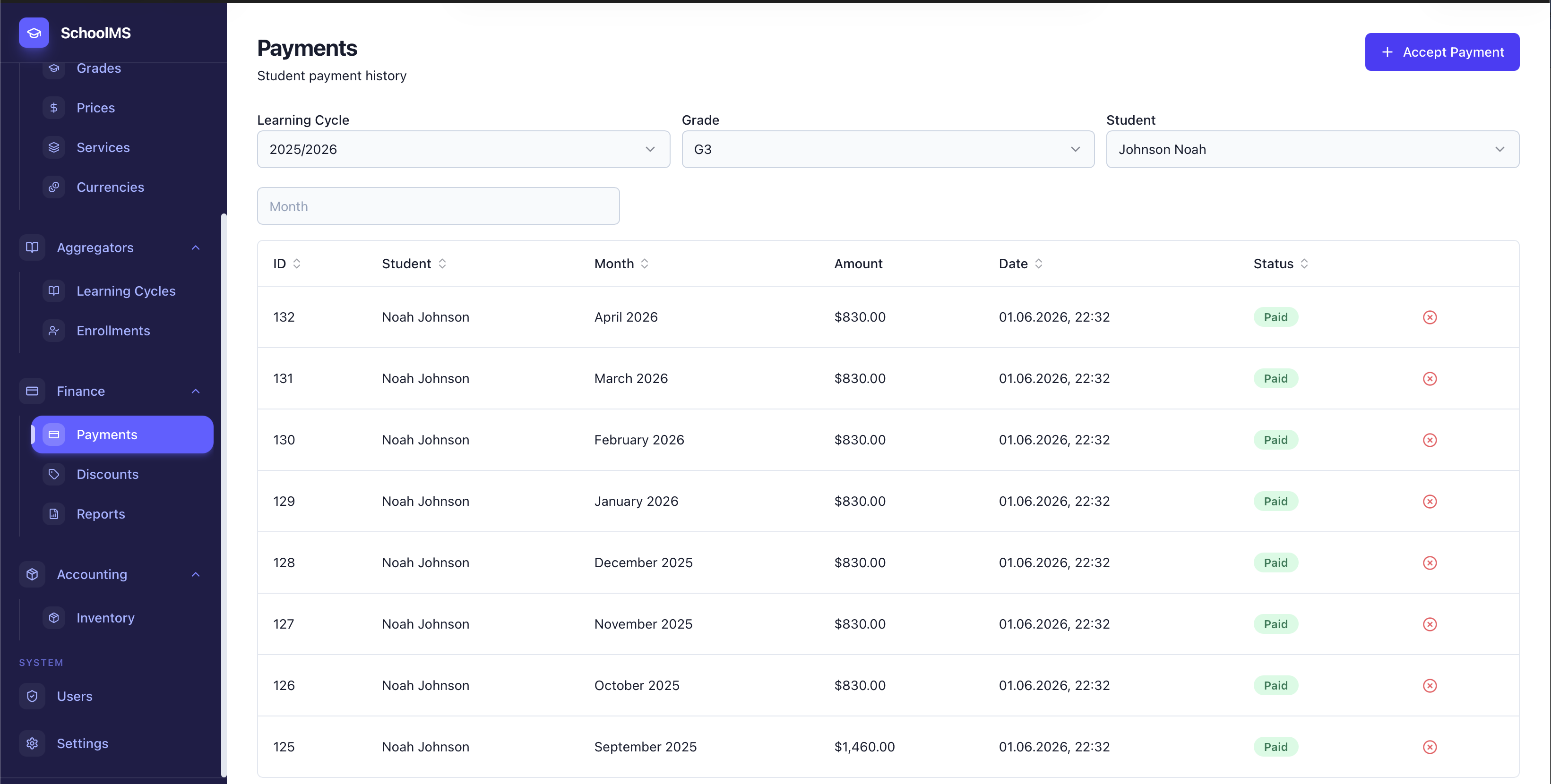
Support any currency. USD, VND and USDT built-in — add more in seconds. Bulk payments, monthly billing cycles, and full payment history per student.
Payments create traceable cash entries automatically. Track opening balances, income, expenses, collection, transfers, reversals and daily closing for central and branch cash registers.
Percentage or fixed discounts per student or school-wide. Full academic year or specific month ranges — fully flexible pricing for any scenario.
Real-time debtor reports, financial analytics, cross-cycle comparison charts, and payment summaries by currency. Know who owes what — instantly.
Daily attendance journals, exam results and grading, and weekly class timetables — all tied automatically to the right grade and academic year.
Publish school-wide or class announcements and academic events. Parents and teachers see them instantly in the portal, with a calendar feed they can subscribe to.
One unified registry for every employee with branch assignments, hire dates, contacts and portal accounts. Staff can work across several branches without duplicating their records.
Set staff rates by branch, record lessons and other work, calculate monthly payroll periods and let employees review their own payroll history.
Plan bus routes per academic year, order stops, and assign students with morning/evening directions. Drivers and parents each see exactly what matters to them.
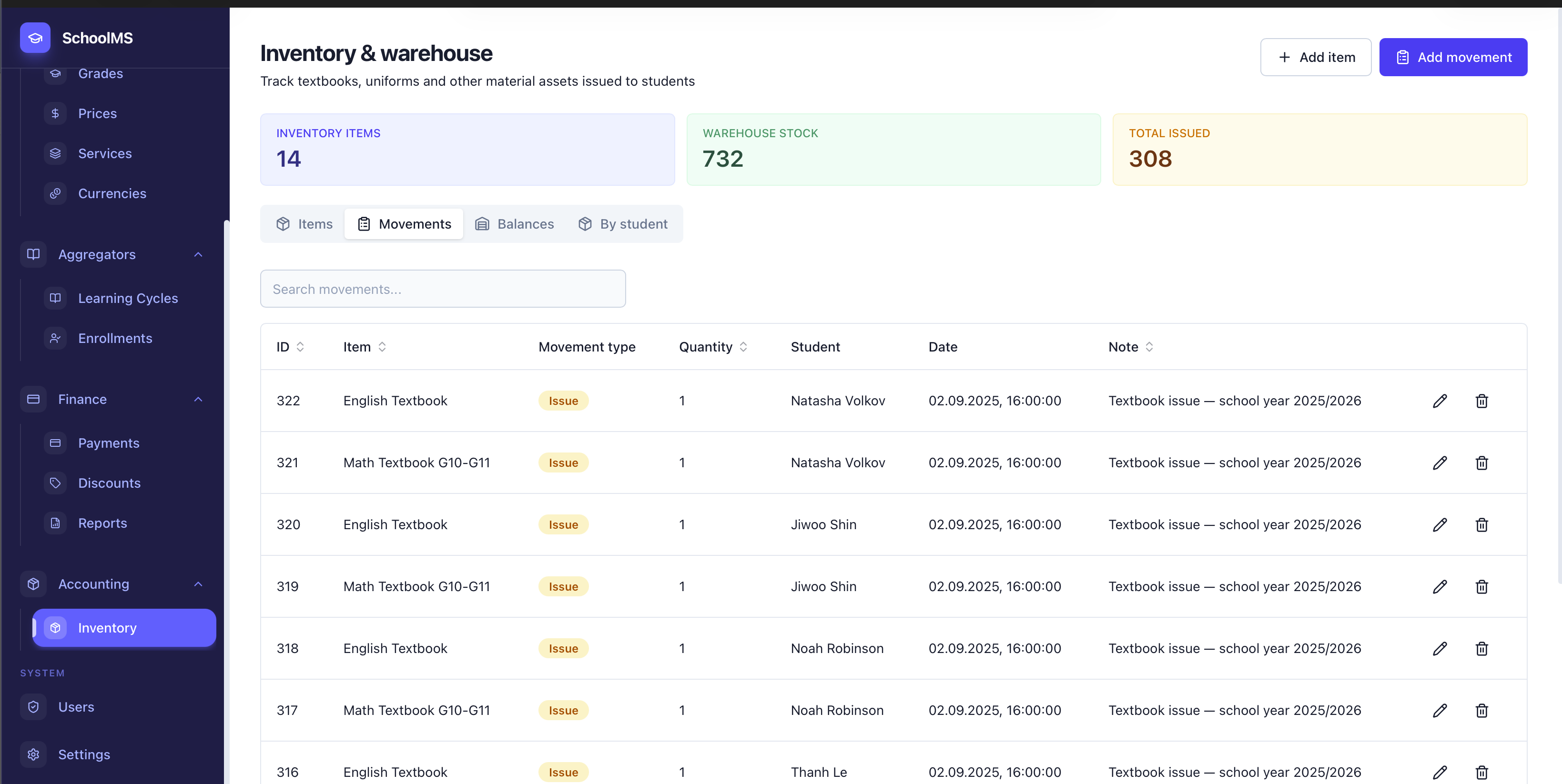
Move textbooks, uniforms and equipment from the central warehouse to branch warehouses, then issue them to students. Every receipt, transfer, return and write-off stays traceable.
Turn school events into notifications and staff tasks, generate documents from reusable templates, export data and connect external systems through webhooks and integrations.
Seven roles — including Head Director for the whole school and Branch Director for local operations — keep every user within the data and actions they need.
Designed for busy school administrators — fast, clear, and easy to navigate.
No lengthy implementations or expensive consultants needed.
Set up grades, price plans, currencies and service items for your academic year.
Add student profiles, assign them to grades, and configure discounts where needed.
Process payments, track inventory, and generate reports — all from one dashboard.
Seven roles, carefully scoped across the whole school, each branch and every personal portal.
Full system access
All branches and school-wide operations
Operations & finance within assigned branches
Student & class view
Portal — their children only
Portal — own records, read-only
Transport portal only
Request a personalized demo of SchoolMS tailored to your institution — we'll walk you through every feature.
Every staff member works in their preferred language — switch at any time.
Everything you need to know about SchoolMS.
Confirm that you are human, then hold the capsule. The address is never placed in the public page source.